


One Idea, One Image
Two Advanced Photoshop Case Studies
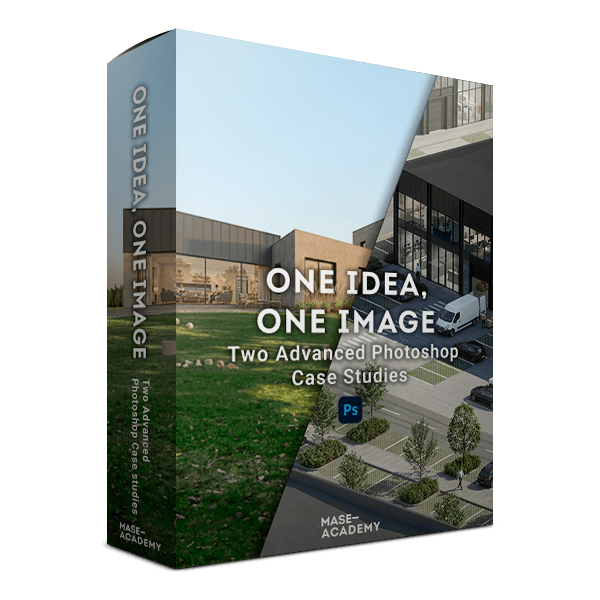
These two Photoshop case studies are designed to sit next to One Idea, One Image and the 1-hour walkthrough, not replace them.
Together, the 3 images form a complete system: 3 different project types, 3 different softwares, 3 different camera approaches, 3 lighting conditions
All solved using the same way of thinking.
Why These Case Studies Exist
A common misconception in archviz is that image quality depends on:
- the software you use
- the renderer you choose
- or the “right” camera and lighting setup
These case studies deliberately prove the opposite.
Each image starts as a viewport screenshot from a different software, yet all three are finished using the same principles of:
- image intent
- hierarchy
- contrast control
- narrative restraint
- and post-production decision-making
If you study all 3 together, you don’t learn software tricks, you learn a repeatable approach you can apply anywhere.
Case Study 01 — Residential Project
Private Interiors in Dialogue with a Calm Landscape
Viewport: 3ds Max
This image starts as a raw 3ds Max viewport screenshot, intentionally unpolished.
The goal of this case study is to explore how private interior spaces relate to a calm, domestic landscape, without relying on obvious foreground action or visual noise.
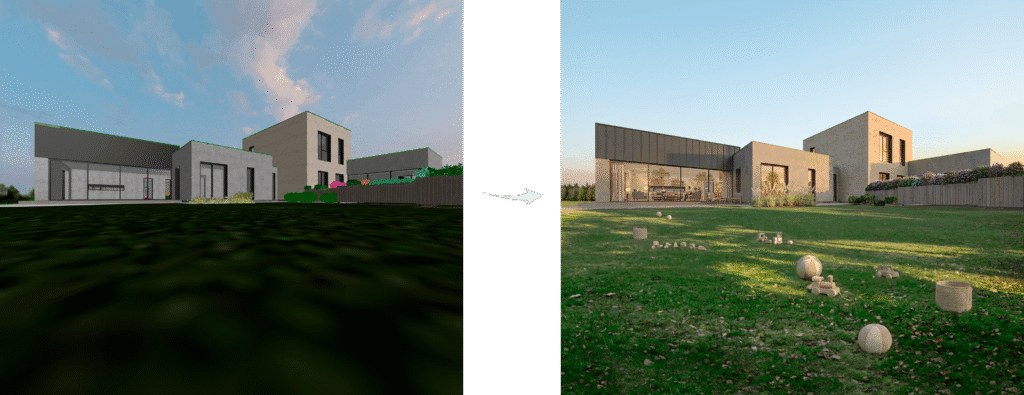
Key characteristics:
- Low-angle camera position
- Wide, grounded perspective
- Late sun / soft evening lighting
- Quiet, domestic atmosphere
What this case study teaches:
- How low angles can create presence without drama
- How late-day light can soften massing and materials
- How to suggest everyday life without literal storytelling
- How to keep residential imagery calm, readable, and timeless
Case Study 02 — Commercial / Office Project
Explaining Spatial Relationships at an Urban Scale
Viewport: Archicad
This case study begins with a straight Archicad viewport screenshot, complete with viewport shadows and neutral lighting.
Here, the challenge is different:
the image needs to explain a site, not romanticize it.
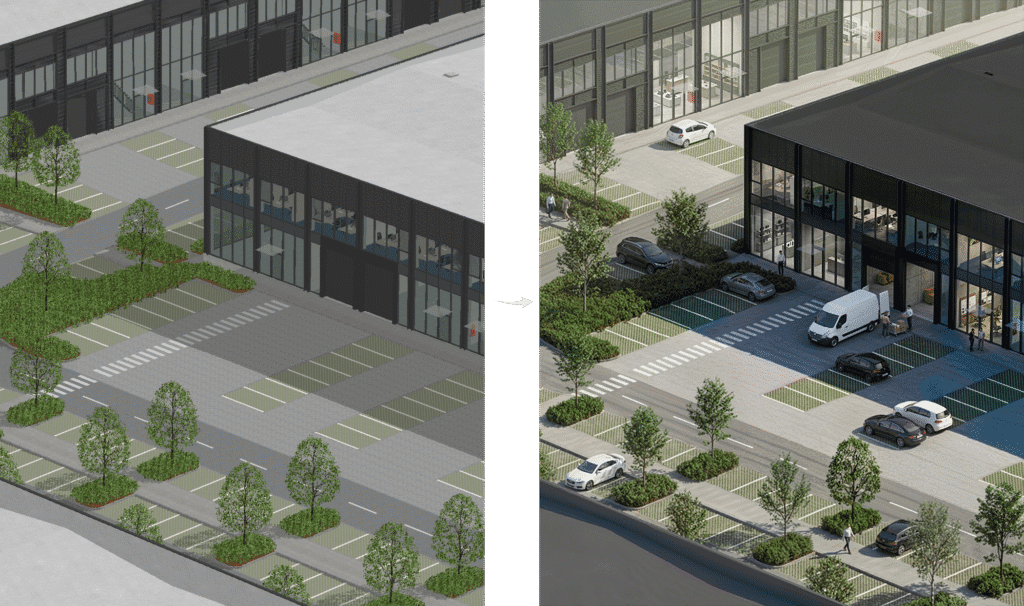
Key characteristics:
- Telephoto compression camera
- Elevated, diagrammatic viewpoint
- Neutral daytime lighting
- Clear spatial hierarchy
What this case study teaches:
- How telephoto compression simplifies complex environments
- How contrast guides the eye across multiple buildings
- How people, cars, and logistics clarify scale and function
- How an image can behave like a spatial diagram
The Missing Link — One Idea, One Image
Viewport: SketchUp
In the main course, the original One Idea, One Image example completes the triangle.
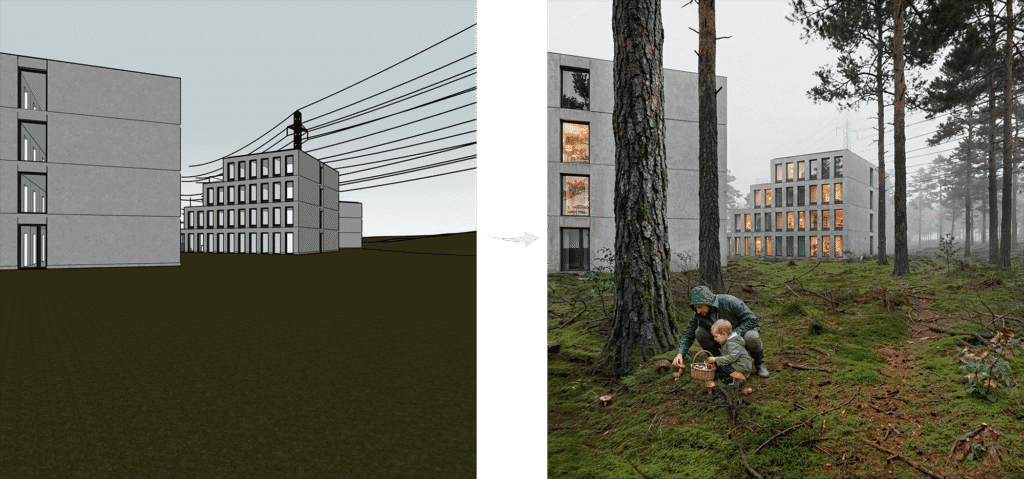
Key characteristics:
- SketchUp viewport screenshot
- Eye-level camera
- Overcast lighting
This setup represents the most “neutral” and commonly used starting point — and shows how clarity and intent can emerge even without dramatic light or perspective.
Why these 3 images matter together?
Taken together — the walkthrough image, the residential case study, and the office case study — you get:
- 3 different project types
- 3 different softwares
- 3 different camera approaches
- 3 different lighting conditions
Studying all three gives you:
- a residential reference
- a commercial / urban reference
- and a neutral baseline reference
What's included inside?
2 full Photoshop (.PSD) files
Clean, readable layer structure
All adjustment layers intact
No baked-in effects
No hidden tricks
These are working documents meant to be explored, toggled and questioned.
Bundle price
Instant access after checkout.
Includes two advanced case studies PSD files.